Add a Manufacturer
1. Click on Catalog > Manufacturers to access the Manufacturers screen.
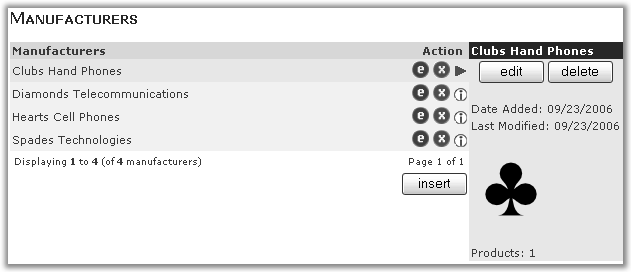
This page shows a list of Manufacturers currently on the site.
Notice that there is a number next to the words Products underneath the product image. This indicates the
number of products that are linked to this manufacturer. If the value is zero, this manufacturer will not be
shown in the Manufacturers side-box (if Manufacturer Sidebox is used on your site).
2. Click on insert to access the manufacturer detail screen
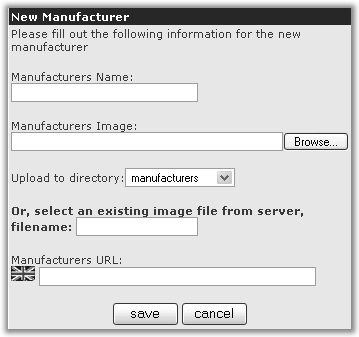
Enter the information on the form.
Manufacturers Name: The name of a manufacturer.
Manufacturers Image: Use the browse button to locate the required image on your computer.
Manufacturers URL: You can use this field to link to the web site of the manufacturer, enter the full address inc http:// and the www. e.g. http://www.google.co.uk
You should be careful adding a link which takes customers away from your site, if the manufacturer offers online purchasing the customer may end up buying from them not you!
6. Click on save to save your changes.