This page gives information on the default Zen Cart order handling.
Zen cart will notify you of a new order by email and new orders will also appear on the admin homepage (right hand column).
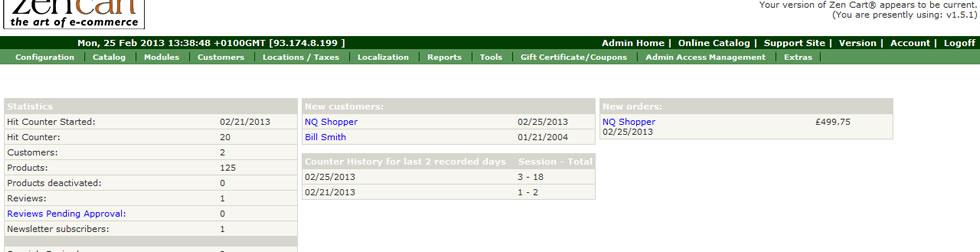
Clicking the Customers Name on the new order will take you to the order detail page.
Alternatively you can get to the Orders page via the admin navigation (Customers–>Order).
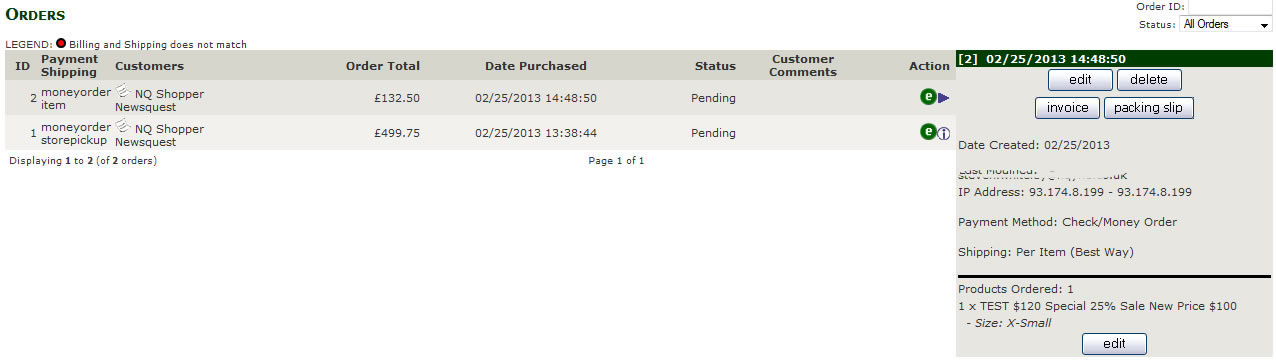
From this page you can either visit the order detail page by clicking the  , or by selecting the line the order is on you will get access to a panel (see image right) with frequently used functions.
Edit, takes you to the Order edit page (see Edit Orders)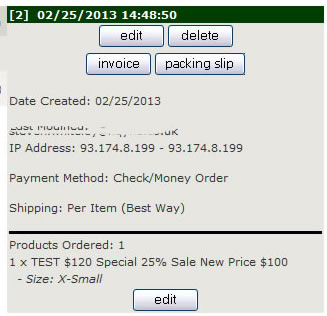
Invoice, this button opens a page with the customers order details in a printable format. Ready for filing in your records or sending to the customer with their parcel.
Packing Slip, this button opens a page with a printable format packing slip on, similar to the Invoice but doesn’t contain any payment information.
Delete, removes the order from the system, this does not refund the customer their money (see Refund Orders)