Once you have navigated throught the categories that make up your site, you will reach the products listing page.
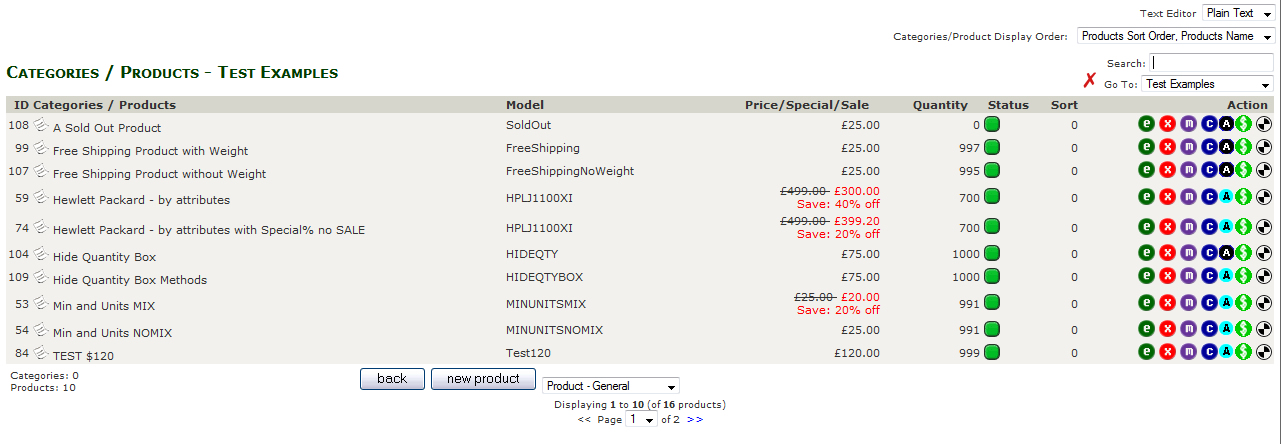
On this page you can view all the products in the current category and each products summary infomation.
At the end of each row are a selection of button which provide various function for each product.


 Product Attributes Manager (Attributes are a product options eg colours or sizes) No Attribute set Product has Attributes.
 Product Prices Manager (including Setting Special)
 Product Meta Tags
Below the product listings are two buttons.
Back take you back one level in the site structure.
New Product take you to the page for adding a new product to the site (See Add a Product).