Viewing Customers
When you log into the admin site you will see a list of the latest Customers who have signed up to your site. (centre column)
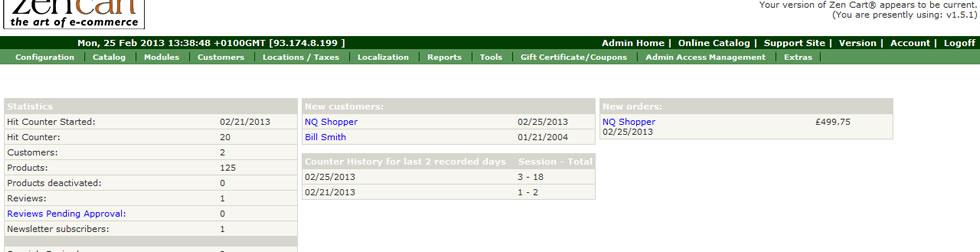
You can click on each customer name to be taken to a detail page about them.
Alternatively view the entire list of customers by going to the Customers page (Customers–>Customers).
On the Customer list page you can see a summary of each customers details.
By selecting the customer line you will be shown more information on the right hand panel.
This panel provides links to other customer related functions.
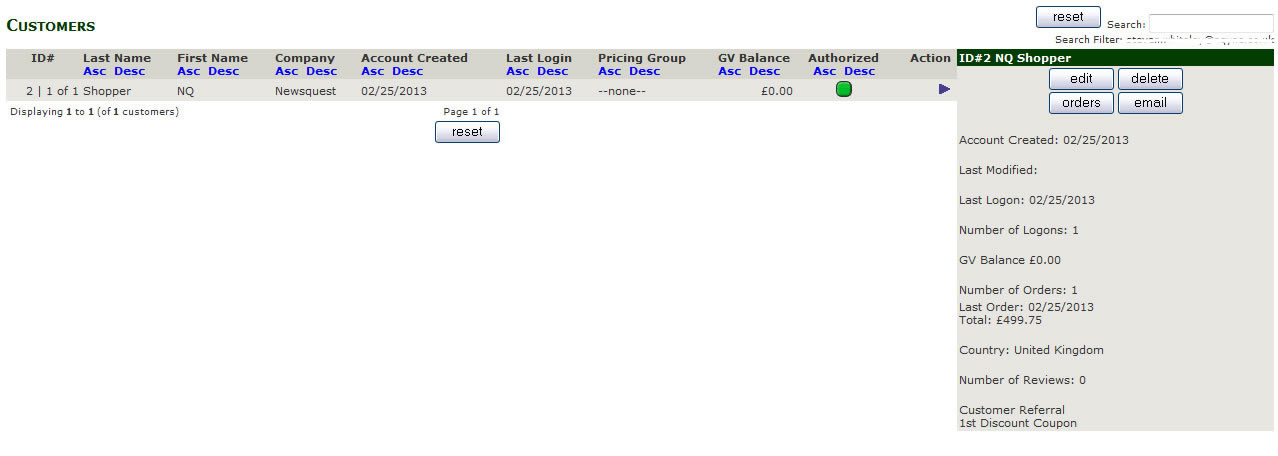
Edit: Allow you to edit the customers details, name, address and phone numbers. Unless specifically requested these should not be altered. Please note the Address on this page is the customers Primary Shipping address, customers can enter up to 5 different shipping addresses per account.
Delete: This removes a customer from the site, any order they placed are NOT removed from the site, this is to comply with regulations regarding accounting fraud. If you wish to prevent a customer from shopping on your site or from receiving any contact (newsletters etc) from your site you can set their Customers Authorization Status to “Banned” see edit customer.
Orders: (if the customer has NOT placed an order this button will not be visible) this links to a list of all order placed by the customer. See Order Pages for details.
Email: This takes you to a page where you can email the customer a message. (See Sending Message)